
本記事では、博多駅・天神駅で利用できる英会話スクール・英会話学校と共に福岡県全域で利用できるオンライン英会話などを紹介していきます。
博多駅・天神周辺に大手英会話スクールのイーオン、NOVA、シェーン英会話、ベルリッツ、ECC外語学院、グローブイングリッシュスクール、ビッグベン英会話教室、マンツーマン英会話、FCC英会話、マンツーマン英会話 I-MAKE、マジェンタ英会話スクール、スマイル英語教室などの英語スクールがあります。博多駅・西鉄天神・薬院駅周辺で活用できる駅チカ英会話スクールをチェックしましょう!
ここでは、大手英会話スクールのイーオン、NOVA、シェーン英会話、ベルリッツ、ECC外語学院、マンツーマン英会話、FCC英会話、グローブイングリッシュスクールと共にスマホから24時間好きなタイミングで利用できるオンライン英会話のネイティブキャンプ・VIPABCを紹介していきます!
福岡でおすすめの英会話スクール
様々な英会話スクールの中で、自分に合った教室を選ぶときのポイントは3つあります。
- 続けやすい料金・通いやすい立地・通いやすい開校時間
- 英会話を学ぶ目的・目標に合ったコースやプログラムがある
- レッスンの形式(個人向けマンツーマンレッスン or グループレッスン)
NativeCamp(ネイティブキャンプ)

NativeCamp(ネイティブキャンプ)はレッスン回数無制限・予約不要の大人気オンライン英会話。
ネイティブを含む世界70ヵ国以上の講師によるマンツーマンレッスンが、24時間いつでも何度でも受講可能。
1日2回受講すれば1レッスン100円と破格の安さで、続けやすいのも魅力の一つです。
出勤前や仕事終わり、仕事の合間など自分のペースに合わせて気軽に英会話レッスンを受けられますよ。
短期間で英語力を身に付けたい人、気軽に英会話を学びたい人、料金の安さ重視の人におすすめ。
- スカイプ不要・予約不要で、完全マンツーマンのオンラインレッスン
- レッスン回数無制限なので、短期間で英語力を鍛えられる
- 1週間無料体験で何度でもレッスンが受けられる
| サービス名 | Native Camp(ネイティブキャンプ) |
|---|---|
| レッスン可能時間 | 365日24時間いつでもOK |
| レッスン時間 | 25分/回 |
| レッスン形式 | マンツーマン |
| コース・料金 | プレミアムプラン 5,950円/月 ファミリープラン 1,980円/月 ※入会金無料 |
NOVA(ノバ)
NOVA(ノバ)は全国290校以上展開する業界最大級の英会話スクール。
全コース入会金0円で、マンツーマンレッスンやグループレッスン・ビジネス英会話など好みのレッスンスタイルが選べるのが魅力です。
外国人講師によるレッスンを好きに選んで受講できるので、飽きずに自分のペースで英語を学ぶことができます。
コミュニケーション力を高めたい人、マイペースに英語を学びたい人におすすめ。
- 入会金0円で、初期費用はかからない
- 多国籍の外国人講師による目的に合ったレッスン
- 無料体験レッスンあり
| 店舗名 | NOVA(ノバ) 博多駅前校 |
|---|---|
| 住所 | 福岡県福岡市博多区 博多駅前2-3-12ブラザ-博多駅前ビル「びいIII博多」4F |
| 電話番号 | 092-477-3881 |
| 開校時間 | 月〜金 13:00-22:00 土日祝 10:00-18:30 |
| 休校日 | – |
| レッスン形式 | マンツーマン・グループレッスン |
| コース・料金 | グループレッスン 10,000円〜、マンツーマンレッスン 20,000円〜 |
| 店舗名 | NOVA(ノバ) 天神校 |
|---|---|
| 住所 | 福岡県福岡市 中央区大名2丁目1番58号 モンブランビル4F |
| 電話番号 | 092-716-2751 |
| 開校時間 | 月〜金 13:00-22:00 土日祝 10:00-18:30 |
| 休校日 | – |
| レッスン形式 | マンツーマン・グループレッスン |
| コース・料金 | グループレッスン 10,000円〜、マンツーマンレッスン 20,000円〜 |
シェーン英会話

シェーン英会話は首都圏を中心に全国200校以上展開する大手英会話スクール。福岡の中心、博多・天神から絶好のロケーションを誇ります。薬院駅から徒歩4分の立地にあります。
個人レッスンと少人数レッスンが選べ、授業の固定制と予約制、ビジネス英会話やTOEICテスト対策といった豊富なコースなど、ライフスタイルや目的に合わせて自分のペースで始められるのが魅力。
また、経験豊富なネイティブ講師によるレッスンや40年培った独自のカリキュラム、月謝制や振替制度などの柔軟なシステムが充実しているため、働く社会人でも無理なく通えます。
大人向けのコースがあるのはもちろん、2歳〜高校生までを対象にしたコースもあり、子供から大人まで通えるスクールです。
| 店舗名 | シェーン英会話 薬院校 |
|---|---|
| 住所 | 福岡県福岡市中央区薬院3-16-32総合教育センタービル2F |
| 電話番号 | 092-533-7280 |
| 開校時間 | 月〜土 10:00〜21:00 |
| 休校日 | 日曜日 |
| レッスン形式 | マンツーマン・グループコース |
| コース・料金 | 月謝制少人数レッスン 週1回 15,606円/月〜 月謝制個人レッスン 月4回 28,566円/月〜 回数制個人レッスン 20回 141,264円〜 |
トーキントーキン英会話スクール
博多駅筑紫口から歩いてすぐの場所にある英会話教室のトーキントーキン英会話スクール。ビジネス英会話や日常英会話をプライベートレッスンとグループレッスンで気軽に受けることができます。
無理・無駄・ムラを省いたトーキントーキンの実践的なオリジナルレッスンを受ければ、たったの10回で使える英語を話せるようになるという口コミ評価が集まる人気スクールです。百聞は一見にしかず、受講料金はやや高めに設定されていますが、本気で英語を学びたい方は無料相談から始めましょう!
下記、トーキントーキン英会話スクール 博多駅筑紫口教室の店舗情報です。
| 店舗名 | トーキントーキン英会話スクール 博多駅筑紫口教室 |
|---|---|
| 住所 | 福岡県福岡市博多区博多駅東1丁目12−17 |
| 電話番号 | 090-8764-7685 |
| 開校時間 | 公式サイトで順次日程発表 |
| 休校日 | – |
| レッスン形式 | マンツーマン・グループコース |
| コース・料金 | 日常英会話10回コース 58,000円〜/月 |
FCC英会話
博多駅から徒歩3分の立地にあるFCC英会話。話すだけでなく文法の基礎的な理解、実践で使用できる単語力の強化、ビジネスシーン・日常生活など様々なシーンで活用できるボディランゲージなども総合的に学ぶことができます。
話す、書く、読む、聞くを総合的に高めるためにおすすめできる英会話スクールのひとつです。駅チカ立地な上に高校生から社会人まで英語レベル問わず、気軽に利用できる点が高評価を得ています。厳しい審査基準を元に採用したアメリカ・オーストラリア・カナダ・イギリスなどのネイティブ講師を筆頭にクオリティが高い英語レッスンを受けることができます!
下記、FCC英会話 博多校の店舗情報です。
| 店舗名 | FCC英会話 博多校 |
|---|---|
| 住所 | 福岡県福岡市博多区 博多駅東2-5-37 博多ニッコービル5F |
| 電話番号 | 092-474-2234 |
| 開校時間 | 月~金 10:00~21:35 土日祝 9:00~17:30 |
| 休校日 | – |
| レッスン形式 | マンツーマン・グループコース |
| コース・料金 | 6ヶ月コース 138,240円〜/月 1年コース 289,440円/月〜 |
ECC外語学院
ECC外語学院は、全国約188箇所にある業界大手の英会話スクールです。天神イムズ校は、西鉄福岡駅北出口徒歩1分の天神イムズ10Fに店舗を構えています。天神エリアの中でもトップクラスの駅チカ立地で非常に使い勝手が良いです。
有料ですが、駐車場も完備しています。仕事終わりに天神を経由する方、週末は天神周辺でショッピングをするのが日課になっている方は、非常におすすめできる英語スクールです。日本人講師とネイティブ講師のダブルサポートであなたの英語力を底上げしましょう!
日常絵会話およびビジネス英会話コースでは、ECCが独自で開発した学習メソッド、「ENVISION」が特徴的です。ENVISIONでは、外国人講師と日本人講師のペアティーチングにより、英語の「読む・書く・聞く・話す」力に加えて、思考力や瞬発力を身につくので、「使う英語」が身につきます。
下記、ECC天神イムズ校の店舗情報です。
| 店舗名 | ECC天神イムズ校 |
|---|---|
| 住所 | 福岡県福岡市中央区天神1-7-11イムズ10F |
| 電話番号 | 092-715-0731 |
| 開校時間 | 月〜金 10:30〜21:30(火曜日のみ13:30〜21:30) 土・日・祝 10:30〜18:30 |
| 休校日 | – |
| レッスン形式 | 少人数制 |
| コース・料金 | 日常英会話コース 16,000円~ ビジネス英会話コース 16,000円~ |
Berlitz(ベルリッツ)

Berlitz(ベルリッツ)は仕事・ビジネス向けのレッスンが人気の英会話スクール。
博多駅と天神駅に2店舗を構えています。天神スクールは、西鉄大牟田線 福岡(天神)駅より徒歩3分の好立地にあります。博多駅ランゲージセンターも博多駅筑紫口より徒歩3分の立地にあります。
いずれのスクールもビジネス・プライベートで使い勝手が良いです。ベルリッツはビジネスマンが利用するのに適した立地と開校時間となっています。
学習プランに沿って講師が毎回レッスンをカスタマイズしてくれるので、無駄なく効率的に英語を学ぶことが可能。初級者にもおすすめです。
マンツーマンレッスンと少人数グループレッスンを選べ、海外赴任・会議・プレゼンなど目的別のスキル強化プランや短期集中プランも用意しています。
博多校も天神校も夜21時まで開いているので仕事帰りにも立ち寄りやすく、自由予約制・スクール自由・振替可能など忙しく働く社会人でも通いやすいシステムが整っています。
下記、ベルリッツ博多駅前ランゲージセンターと福岡天神ランゲージセンターの店舗情報です。
| 店舗名 | Berlitz(ベルリッツ) 福岡天神ランゲージセンター |
|---|---|
| 住所 | 福岡県 福岡市中央区 天神2-8-34 住友生命福岡ビル2F |
| 電話番号 | 0120-5-109-23 |
| 開校時間 | 8:30-21:00(平日) 9:00-18:00(土日) |
| 休校日 | – |
| レッスン形式 | マンツーマン・グループレッスン |
| コース・料金 | マンツーマン 1レッスン40分 6,000円〜8,000円台 グループ 1レッスン40分 3,000円台 |
| 店舗名 | Berlitz(ベルリッツ) 博多駅前ランゲージセンター |
|---|---|
| 住所 | 福岡県 福岡市博多区 博多駅東2-5-37 博多ニッコービル7F |
| 電話番号 | 0120-5-109-23 |
| 開校時間 | 7:30-9:00,16:30-21:00(火水木) 10:00-18:00(土日) |
| 休校日 | 月金・祝日 |
| レッスン形式 | マンツーマン・グループレッスン |
| コース・料金 | マンツーマン 1レッスン40分 6,000円〜8,000円台 グループ 1レッスン40分 3,000円台 |
英会話AEON(イーオン)

実績豊富なベテラン教師陣があなたの英語力アップに大きなサポートをしてくれます。勤続経験豊富な日本人講師と外国人講師が在籍しているので、仕事や日常生活に活かせる英語力を一気に高めることができます。英語力に自信がない方・TOEIC(R)L&Rテスト対策の勉強をしたい方にもおすすめできます。
JR博多駅のJR博多口を出てすぐ右隣の博多バスターミナルの9Fに教室があります。博多駅の中でもトップクラスの駅近立地の利便性を誇ります。大手英会話スクールならではの安定した品質の英語レッスンと通いやすい教室であなたの英語力アップにブーストをかけましょう!
下記、AEON(イーオン)博多校の店舗情報です。
| 店舗名 | イーオン 博多校 |
|---|---|
| 住所 | 福岡県福岡市博多区博多駅中央街2-1 博多バスターミナル9F |
| 電話番号 | 0800-111-1111 |
| 開校時間 | 月~金 12:00〜21:00 土曜 10:00〜19:00 |
| 休校日 | 日・祝 |
| レッスン形式 | マンツーマン・グループレッスン |
| コース・料金 | 日常英会話コース 週1回12ヶ月 133,056円〜 短期速習コース 週2回 372,600円〜 プライベートレッスン週1回 320,760円など |
VIP ABC
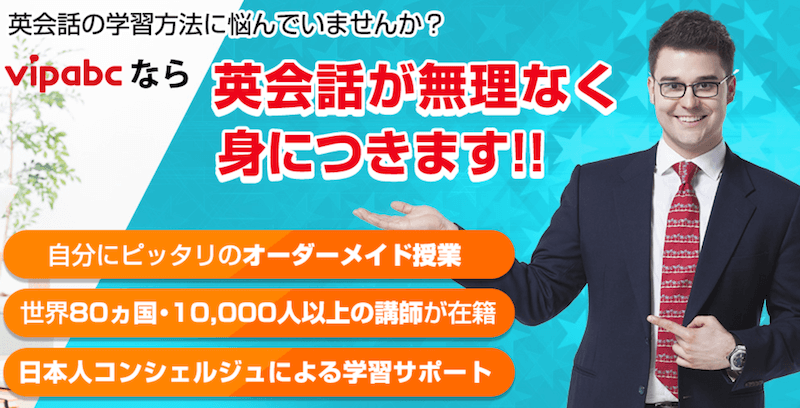
シリコンバレー発の独自メソッドを元にあなただけの専属日本人コンシェルジェが学習サポートしてくれるVIPABC。
世界で選ばれているオンライン英会話サービスだから実現できるAIとビッグデータを活用した英語学習サポートがあなたの英語力アップを最短ルートで導いてくれます。
世界80カ国、10,000人以上の講師が国際的な英語資格の「TESOL」を保有しています。英語ネイティブでない日本人に的確に英語を教える資格を持っている講師がマンツーマン・グループレッスンで徹底サポートしてくれます。
あなたの目的に応じた日常英会話・ビジネス英語のスキルアップサポートをネイティブ講師と日本人コンシェルジェが二人三脚できめ細やかにサポートしてくれます。
| サービス名 | VIPABC |
|---|---|
| レッスン可能時間 | 365日24時間いつでもOK |
| レッスン時間 | 45分/回 |
| レッスン形式 | マンツーマン・少人数グループ |
【閉店済み】グローブイングリッシュスクール
天神駅直結、福岡PARCO内にある英会話教室のグローブイングリッシュスクール。目的や用途に応じた柔軟性が高いフレキシブルな料金体系が大きな魅力の英会話スクールです。
オーストラリア、アメリカ、日本人の専属講師が本当に身につく英語を徹底的にサポートしてくれるのが大きな魅力です。ただ、しゃべるだけでなく英検、TOEIC対策、高校受験、留学相談など英語を話す以外のキャリアプランなども相談にのってくれます。
まずは無料体験レッスンでスクールの雰囲気を肌で感じてみてください! 下記、グローブイングリッシュスクール 福岡PARCO店の店舗情報です。
| 店舗名 | グローブイングリッシュスクール 福岡PARCO店 |
|---|---|
| 住所 | 福岡県福岡市中央区天神2-11-1 福岡PARCO新館5F |
| 電話番号 | 092-791-2261 |
| 開校時間 | 平日 12:00-21:00 土日祝 1000-17:00 |
| 休校日 | – |
| レッスン形式 | 少人数制 |
| コース・料金 | 4人までの少人数グループレッスン 11,960円~ マンツーマンコース 16,500円~ |
まとめ
いかがだったでしょうか。福岡市の博多駅と天神周辺で利用できる英会話スクールを紹介しました。博多駅よりも西鉄天神、薬院、天神南周辺の方が英会話スクールが多いエリアとなっています。
利便性が高い英会話スクール、マンツーマン英会話を得意とする英会話スクール、ネイティブ講師がいるスクールなど多種多様となっています。駅チカ立地で利用できる英会話スクールと共に自宅からスマホで24時間受講できるオンライン英会話も活用して、あなたの英語の目標を達成しましょう!